
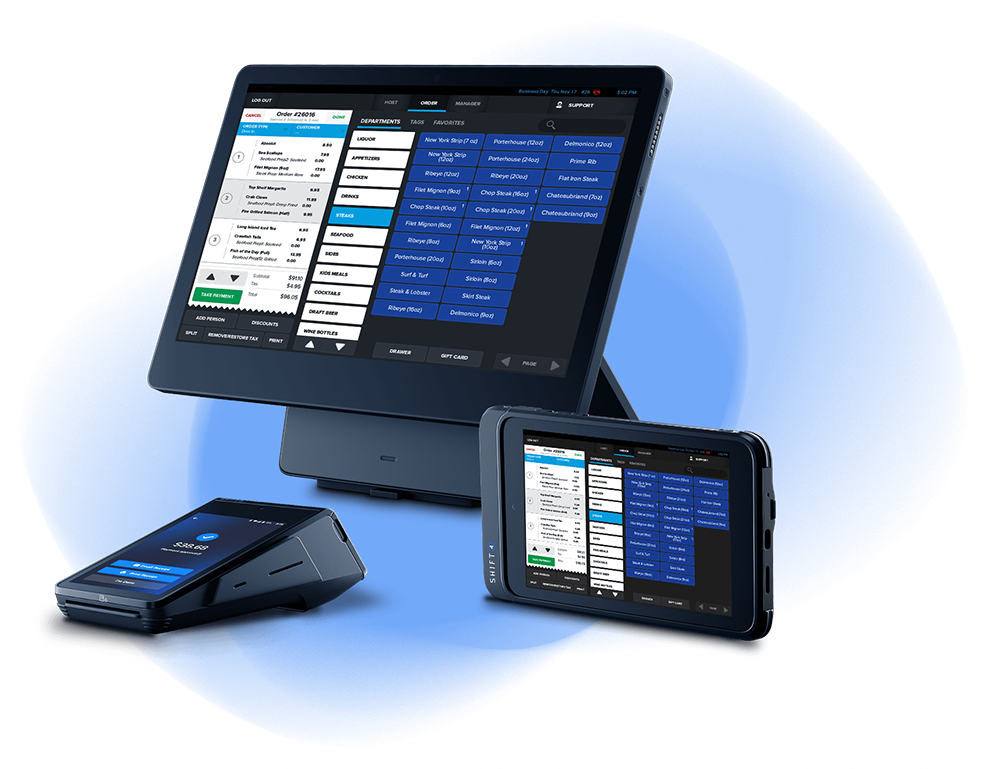
SkyTab is a cloud based POS platform developed by Shift4. In practice, SkyTab positions itself as a clean, modern system designed to reduce friction on the floor and simplify how restaurants run day to day. It is not trying to be the most customizable or the most complex platform on the market. Its strength is in being focused, stable, and approachable.
This review looks at how SkyTab performs in real operations and where it fits best.
What SkyTab Does Well
Fast, uncluttered order entry
SkyTab feels quick during service. Screens are responsive, menu navigation is straightforward, and order entry does not feel weighed down by unnecessary options. For busy shifts, this matters more than feature depth. The system stays out of the way and lets the team work.
Clean interface with a short learning curve
The interface is modern and intuitive. New hires tend to pick it up quickly, and managers can configure menus, modifiers, and basic settings without living in the system full time. For operators who struggle with adoption or training fatigue, this is a real advantage.
Consistent hardware experience
SkyTab’s terminals and handhelds are designed to work together cleanly. You are not juggling mismatched devices or troubleshooting across multiple vendors. For single unit restaurants and small groups, this consistency simplifies both setup and ongoing support.
Solid core reporting
SkyTab provides the reports most operators actually use: sales by daypart, item performance, labor summaries, and basic trends. While it is not an analytics powerhouse, the reporting is readable and usable, which is often more valuable than depth that no one touches.
Where SkyTab Can Fall Short
Limited flexibility for complex concepts
If your operation relies on highly customized workflows, advanced inventory logic, or unique reporting structures, SkyTab may feel restrictive. It favors standardization over customization, which is either a strength or a limitation depending on the business.
Smaller integration ecosystem
SkyTab integrates with common tools, but it is not built for operators who want to assemble a large best in class tech stack. If your operation depends on many niche third party systems, confirm compatibility early.
Less depth for data driven operators
Operators who want deep, configurable reporting inside the POS may find SkyTab’s analytics too shallow on their own. In those cases, SkyTab works best when paired with an external reporting or accounting system rather than trying to do everything internally.
Who SkyTab Is Best For
SkyTab is a strong fit for:
Independent restaurants and small groups
Operators who value speed, simplicity, and ease of use
Teams that want consistent hardware and fewer moving parts
Restaurants frustrated by bloated systems they do not fully use
It works especially well for full service restaurants, bars, and fast casual concepts that want a modern system without unnecessary complexity.
Who Should Think Carefully
SkyTab may not be the best choice for:
Large enterprise groups with advanced reporting requirements
Highly customized concepts with unique workflows
Operators who want maximum flexibility over standardization
Restaurants already invested in a large, complex tech stack
In those cases, a more modular or enterprise oriented POS may be a better long term fit.
Final Take
SkyTab succeeds by focusing on the fundamentals. It is fast, clean, and easy to adopt. When used as intended, it simplifies service, reduces friction on the floor, and keeps managers out of the weeds. Where operators run into trouble is expecting it to behave like a deeply customizable enterprise platform.
For restaurants that want a modern POS that works predictably and does not get in the way, SkyTab is a solid, practical option.
-
SkyTab POS Review: A Look in Depth
SkyTab is a cloud based POS platform developed by Shift4. In practice, SkyTab positions itself…
-
Toast POS Review: A Look In Depth
Toast POS is one of the most widely deployed restaurant point of sale systems in…
-
Time to Rethink Menu Pricing: Do You Your Numbers?
In most restaurants, the menu is treated like art. It reflects a chef’s vision, a…


Leave a Reply